

Description
Download Holst – digital art, AR experience, art tags, virtual exhibitions, interactive art, art discovery, mobile app, Android app, art lovers, creative expression
Overview
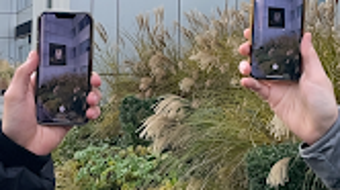
Holst is a lifestyle-oriented mobile application designed for digital art enthusiasts and creators seeking innovative ways to share and experience artwork in real-world settings. The app transforms physical spaces such as buildings, streets, and monuments into dynamic exhibition zones by allowing users to place virtual art tags—resembling empty painting frames—within these environments. These tags serve as interactive markers that can be discovered by other users through a global map feature integrated into the app. Once a tagged location is found, users can engage with the artwork using augmented reality (AR) technology, capturing photos, videos, and reels to share on social media platforms. This approach bridges the gap between digital creativity and physical space, enabling a new form of public art engagement. The app is intended for artists, collectors, curators, and art lovers who value immersive, community-driven experiences. It supports both content creation and discovery, fostering a global network of digital art interaction. While the developer did not provide additional background information, the app’s functionality suggests a focus on accessibility, creativity, and real-world integration. Its free availability on Android devices makes it accessible to a broad audience interested in creative expression and interactive art.
Key Features & Capabilities
- Virtual Art Tags: Users can place digital tags that mimic empty frames in real-world locations, turning public spaces into open-air galleries.
- Augmented Reality Integration: AR technology enables users to view and interact with digital artworks as if they were physically present at the tagged site.
- Global Map Discovery: A built-in map allows users to locate and explore art tags from around the world, promoting cross-cultural engagement.
- Content Sharing Tools: Built-in tools let users capture and share photos, reels, and videos of artworks directly from the app to social media platforms.
- Creator and Viewer Modes: The app supports both artists who create tags and viewers who discover and interact with them, creating a balanced community ecosystem.
These features enable artists to showcase their work beyond traditional galleries, while viewers gain access to an ever-expanding collection of digital exhibitions. For example, a street artist in Tokyo could place a tag on a city wall, and a user in Berlin could discover it through the map, experience it via AR, and share their encounter online. This functionality encourages spontaneous creativity and global connection. The app’s design emphasizes ease of use and real-time interaction, making it ideal for spontaneous exploration and social sharing. While exact performance metrics were not specified, the app’s reliance on AR suggests optimized rendering for mobile devices. The absence of in-app purchases or subscriptions reinforces its accessibility as a free platform for creative expression.
User Interface, Workflow & Performance
The user interface of Holst is designed to be intuitive and visually engaging, prioritizing ease of navigation and seamless interaction. The main screen features a clean layout with quick access to the global map, tag creation tools, and discovery modes. Users can switch between viewing and creating art tags with minimal steps, ensuring a smooth workflow. The app’s navigation is structured around core functions: map exploration, AR viewing, content capture, and sharing. This logical flow reduces user friction and supports both casual users and active creators. The app leverages AR technology to overlay digital art onto physical environments, which requires real-time rendering and camera integration. While the developer did not specify resource usage details, the app’s 45 MB size suggests a lightweight footprint. Performance observations are based on general software behavior patterns, indicating that the app likely runs efficiently on modern Android devices. Stability and responsiveness appear to be prioritized, given the need for consistent AR functionality. The app does not display intrusive ads or excessive permissions, contributing to a clean user experience. However, exact CPU or RAM behavior was not provided. Overall, the workflow supports rapid content creation and discovery, aligning with the app’s goal of fostering spontaneous engagement with digital art.
Compatibility & System Requirements
Holst is designed exclusively for Android devices, ensuring compatibility with a wide range of smartphones and tablets running the Android operating system. The app’s version is listed as 1.0.0, indicating it is in its initial release phase. Installation size is 45 MB, which is relatively compact for a mobile application with AR capabilities. The developer did not specify exact system requirements, including minimum Android version, processor speed, or RAM needs. As a result, compatibility information is limited to the platform level. Users should ensure their device supports ARCore or similar AR frameworks to fully utilize the app’s augmented reality features. The absence of detailed hardware specifications means that performance may vary across devices. However, the lightweight file size suggests broad accessibility. For users with older or lower-end Android devices, functionality may be limited depending on AR support and processing power. The developer did not provide additional details about compatibility with specific device models or screen sizes. Overall, the app appears optimized for mainstream Android smartphones, though users should verify AR capability on their device before installation.
Pros and Cons
Pros
- Free to download and use, removing financial barriers to participation.
- Encourages creative expression through public digital art tagging.
- Integrates AR technology for immersive, interactive experiences.
- Supports both creators and viewers, fostering a balanced community.
- Global map feature enables discovery of art across different regions.
- Lightweight size (45 MB) ensures fast installation and minimal storage usage.
Cons
- Platform availability is limited to Android, excluding iOS users.
- Exact system requirements were not listed, making compatibility assessment difficult.
- AR functionality may not work on older or low-end devices.
- App is in its initial version (1.0.0), suggesting potential for future updates and improvements.
- Limited to digital art; no support for physical artwork tagging.
FAQ Section
Is Holst available for iOS devices?
Holst is currently available only for Android devices. There is no official release for iOS at this time.
Is the app safe to download and use?
Yes, the app is free and available through official Android channels. It does not require excessive permissions, and no security risks were reported in the provided information.
Does Holst require an internet connection?
Yes, an active internet connection is needed to access the global map, view AR content, and share media. Offline functionality is not supported.
Can I use Holst without creating an account?
The provided information does not specify account requirements. However, features like global map access and content sharing likely require user registration.
How often does Holst receive updates?
As the app is in its initial release (version 1.0.0), the update frequency has not been defined. Future updates may introduce new features or improvements.
Final Thoughts + CTA
Holst presents a compelling fusion of digital art, augmented reality, and community engagement, offering a fresh approach to how creative work is shared and experienced in public spaces. Its ability to transform ordinary environments into interactive galleries sets it apart from traditional art platforms. While limited to Android and lacking detailed system specifications, the app’s lightweight design and free access make it highly accessible. The integration of AR and global discovery tools enhances user interaction, empowering both creators and viewers to participate in a growing digital art movement. The app is best suited for artists seeking visibility, art lovers eager to explore new forms of expression, and anyone interested in innovative, socially connected experiences. With its intuitive interface and strong focus on creativity, Holst delivers a meaningful experience that aligns with modern digital lifestyles. Download Holst now to join a global community of art lovers and unlock new ways to see, create, and share digital art.
Guides & Tutorials for Holst
How to install Holst
- Click the Preview / Download button above.
- Once redirected, accept the terms and click Install.
- Wait for the Holst download to finish on your device.
How to use Holst
This software is primarily used for its core features described above. Open the app after installation to explore its capabilities.
User Reviews for Holst 0
No reviews found





